
How do you access official Bluebook SAT practice tests?
Bluebook SAT practice tests run in College Board’s downloadable app, not in a web browser.
- Check your device, then download Bluebook from College Board. For a school-managed device, ask your school whether installation is already complete.
- Open Bluebook and sign in with your College Board student account.
- Choose Practice and Prepare. Try Test Preview to learn the tools; the preview is untimed and does not produce a score.
- Select Full-Length Practice, choose SAT and an available test, and follow the setup instructions.
College Board and Khan Academy’s Bluebook guide agree on this approach: get familiar with the interface, take a full test, then use the results to guide study. Khan Academy provides lessons and exercises; Bluebook provides the official testing experience. An MCB practice test is additional practice, not an official College Board test.
Does Bluebook work on Windows 10, Mac, iPad and Chromebooks?
Bluebook supports specified Windows and Mac devices, iPads, and school-managed Chromebooks. It does not support every operating system.
| Device | Minimum checked October 6, 2026 | Important restriction |
|---|---|---|
| Windows | Windows 11 24H2 | Windows 10, S mode and Windows 11 SE are unsupported. |
| Mac | macOS 15 | Check the complete Mac requirements before installation. |
| iPad | iPadOS 18 | Use a supported iPad, not an iPhone. |
| Chromebook | ChromeOS 144 | School-managed only; verified mode must be enabled. ChromeOS Flex is prohibited. |
The Windows 10 restriction is explicit in College Board’s Windows requirements. An old successful installation does not establish current test-day eligibility. Personal unmanaged Chromebooks are not supported; the school configures the kiosk app and verified mode.
Linux and Android are not listed as supported Bluebook platforms. Device eligibility also varies by assessment: a Windows desktop is not an approved SAT Weekend device. Check the current official requirements, including hardware, battery and display rules, before planning your exam. For browser-based practice options, read our Bluebook alternative guide.
Where do you see Bluebook practice scores and review your answers?
Bluebook practice scores and answer explanations appear on College Board’s My Practice website, outside the testing app.
- Complete and submit the practice test in Bluebook.
- Open My Practice in your browser and sign in with the same account used in Bluebook.
- Select your practice test and open Score Details.
- Use the Review button beside a question to inspect your response, the correct answer and the explanation of answer choices.
- Download the score report if you want to share it with a tutor or family member. Look through older results if the test you need is not the newest one.
If you start at collegeboard.org, sign in and use the My SAT/practice navigation where available. The direct My Practice link is the clearer route and avoids changing menu labels. Do not confuse practice results with official SAT score reports.
College Board’s My Practice 101 also describes domain performance, Get Tailored Practice and matching Khan Academy review courses. Bluebook’s review ecosystem offers more than a bare answer key. If a score seems surprising, review the questions before trying to interpret it with a SAT score calculator; the official practice report remains the source for that attempt.
How long does a Bluebook SAT test take, and what changes on test day?
Standard SAT testing lasts 2 hours 14 minutes, with a 10-minute break between Reading and Writing and Math.
Reading and Writing
32 + 32 minutes
Scheduled break
10 minutes
Math
35 + 35 minutes
Reserve at least 2 hours 24 minutes plus setup for a standard simulated sitting. Approved accommodations can change timing and breaks. See the official SAT structure and our digital SAT format guide.
- Early completion: practice lets you move forward before time expires. The standard real test does not let you submit early before the timer runs out. Stay in the current module and check your work.
- Saving and exiting: practice allows you to leave and resume. Do not use that flexibility for a readiness benchmark. On test day, you cannot simply save, leave and finish at home.
- Breaks: take the full scheduled 10-minute break. College Board says scheduled breaks cannot start or end early. Follow the proctor’s directions for unscheduled breaks or approved accommodations.
- Other apps and full screen: close other applications before testing. Stay in Bluebook’s testing environment and do not bypass its lockdown controls. If a technical problem interrupts the app, tell the proctor rather than troubleshooting through other programs.
SAT Testing Rules prohibit unauthorized apps and bypassing security features; violations can lead to score cancellation. An accidental full-screen interruption is not described as an automatic cancellation rule. Follow staff instructions. College Board’s break guidance explains how scheduled and unscheduled breaks are handled.
How should you practice Desmos when copy and paste is restricted?
Practice entering and reusing expressions inside Bluebook’s calculator. Do not build a strategy around pasting from another app.
College Board’s testing rules prohibit pasting work into Bluebook from another program, except where an approved accommodation permits it. SATPrepIn’s classroom advice is to prepare for restricted copy/paste during SAT practice, even if a standalone Desmos website lets you use your clipboard. The wider Bluebook app serves several assessments, so a blanket claim about every editor on every exam would be misleading.
When a long expression will be reused, define it once as a function. For example, enter f(x)=3x^2-7x+12. Then use f(5) to evaluate it, or f(x)=20 to find intersections with that value. You avoid retyping the whole expression.
Check signs, parentheses and exponents when you first enter the function. A named expression saves typing, but it also reuses any original mistake. Try this in Bluebook’s Test Preview before relying on it under timed conditions. Do not expect expressions to carry across modules; plan to work within the current module.
Which Bluebook SAT practice tests should you take, and in what order?
Choose Bluebook tests around your preparation stage. Keep some unseen tests for later benchmarks, rather than using everything immediately.
The current practice set discussed here is Tests 4–11. SATPrepIn’s guide lists those eight tests; College Board also publishes corresponding paper bundles. Check the app for the current adaptive lineup. The notes below adapt SATPrepIn’s teaching perspective. They are recommendations, not College Board difficulty ratings or a statistical validation study.
Bluebook Test 4
Early preparation
SATPrepIn considers Test 4 an old, easier starting point. Use it to learn the interface, but account for the chance that its widely circulated questions are already familiar.
Bluebook Test 5
Mid-prep checkpoint
Test 5 is also relatively old in SATPrepIn’s teaching assessment. Use it during preparation and check for prior exposure before interpreting the result as an unseen benchmark.
Bluebook Test 6
Later benchmark
SATPrepIn places Tests 6 and 7 among the hardest practice tests. Save Test 6 for a later checkpoint under full timing, particularly when you want to inspect demanding Math work.
Bluebook Test 7
Demanding later benchmark
SATPrepIn places Tests 6 and 7 among the hardest practice tests. Keep Test 7 for a fresh late-prep benchmark and review where difficulty changed your pacing or accuracy.
Bluebook Test 8
Mid-prep practice
SATPrepIn recommends Test 8 during preparation and notes its reassembled question mix. Check whether you recognize material from older tests before treating the score as a fresh benchmark.
Bluebook Test 9
Mid-prep practice
SATPrepIn describes substantial reused material in Test 9. Use the attempt to check skills and execution; prior exposure makes a high score less informative.
Bluebook Test 10
Confidence and execution check
SATPrepIn describes Test 10 as easier overall. Use it to practice accuracy and pacing, but do not assume an easier-feeling test guarantees the same test-day experience.
Bluebook Test 11
Recent practice material
SATPrepIn considers Test 11 the newest test and the closest to recent actual SATs in 2026. Save a fresh attempt for a later readiness check. That teaching judgment does not mean every section will feel hardest.
Our suggested pattern is an early baseline, focused work between tests, then fresh later benchmarks. SATPrepIn favors Test 11 for its similarity to recent 2026 tests, Tests 6 and 7 for demanding later benchmarks, and Tests 8–10 during the middle. These are different reasons to select a test, not a single hardest-to-easiest ranking. If you have already seen a test’s questions in tutoring or a question bank, record that exposure.
Are Bluebook practice tests easier than the real SAT, and do they predict your score?
Bluebook tests reproduce the official adaptive format. A practice score is a readiness estimate, not a guaranteed test-day result.
Difficulty has several meanings: how the questions feel, which Module 2 you receive, and how the test converts your performance into a score. A harder-feeling test is not automatically a better predictor. Read our explanation of adaptive SAT modules and why Module 2 can feel harder.
Tutor rankings are not unanimous. SATPrepIn emphasizes Test 7 as a demanding benchmark. Strategic Test Prep’s 2026 ranking puts Test 11 first overall and Test 7 next; that ranking combines representativeness and difficulty. Both perspectives favor careful test selection, but neither establishes a universal hardest-to-easiest order.
Older Bluebook questions have had more time to circulate through question banks, tutoring worksheets and YouTube explanations. SATPrepIn considers prior exposure a plausible contributor to inflated practice scores and reports that official tests feel harder. That is a teaching explanation, not proof of a measured community-wide effect.
Choose practice sources that explicitly disclose whether they include active Bluebook questions. If provenance is unclear, do not assume your next Bluebook score will be an uncontaminated benchmark.
For your own forecast, compare recent fresh attempts taken with the full timing and break. Note sleep, interruptions, familiar questions and score differences between sections. Do not subtract an invented fixed number from an “easy” test or promise that the real result will fall within a narrow points range. An improving score is more useful when the underlying mistakes and pacing improve too.
How have Bluebook SAT practice tests changed over time?
Bluebook’s practice lineup has changed since the first digital SAT tests. Later releases include both new and reused material.
SATPrepIn describes the initial Tests 1–4, the later addition of Tests 5 and 6, and the 2025 retirement of Tests 1–3. Its guide describes Tests 8, 9 and 10 as reassembled from retired Tests 1, 2 and 3 and Test 7 as an all-new addition in that update. Test 11 appears in its 2026 update.
These history notes come from the teaching guide, not a College Board statement about question provenance. The practical consequence is more important than the release sequence: two differently numbered tests can contain familiar material. A repeated question tests recognition as well as skill, so keep exposure notes alongside scores. SATPrepIn also reports that some questions in older tests change over time; a historical difficulty label is not a permanent description of every version.
College Board’s paper practice downloads include Tests 4–11, but those PDFs are nonadaptive. A PDF is useful for reviewing questions; it does not reproduce the adaptive app experience. College Board recommends app practice for students taking the digital test. Do not treat a paper version and the app as two independent unseen benchmarks.
What should you do after a Bluebook SAT practice test?
Review incorrect answers, guesses and inefficient solutions before taking another Bluebook test. Choose a specific practice target from that review.
- Redo the question before reading the rationale. Decide whether the mistake came from missing knowledge, a misread condition or a poor method.
- Review correct guesses too. A correct answer reached without a reliable method is still a study target.
- Record pacing problems. Note where you rushed late questions or spent too long on a problem. A score alone cannot reconstruct those decisions.
- Practice the weakness. Use My Practice’s Get Tailored Practice, Khan Academy lessons, or focused MCB question-bank practice.
- Check the fix on fresh material. Save the next full test until you have done work that could change the result.
This follows the shared College Board/Khan Academy approach: use official results to identify weaknesses, then study those skills. SATPrepIn adds a teaching emphasis on realistic uninterrupted sittings. For timing decisions, use our SAT pacing guide; for content gaps, consult the SAT topic guide.
How can MyCollegeBook supplement official Bluebook practice tests?
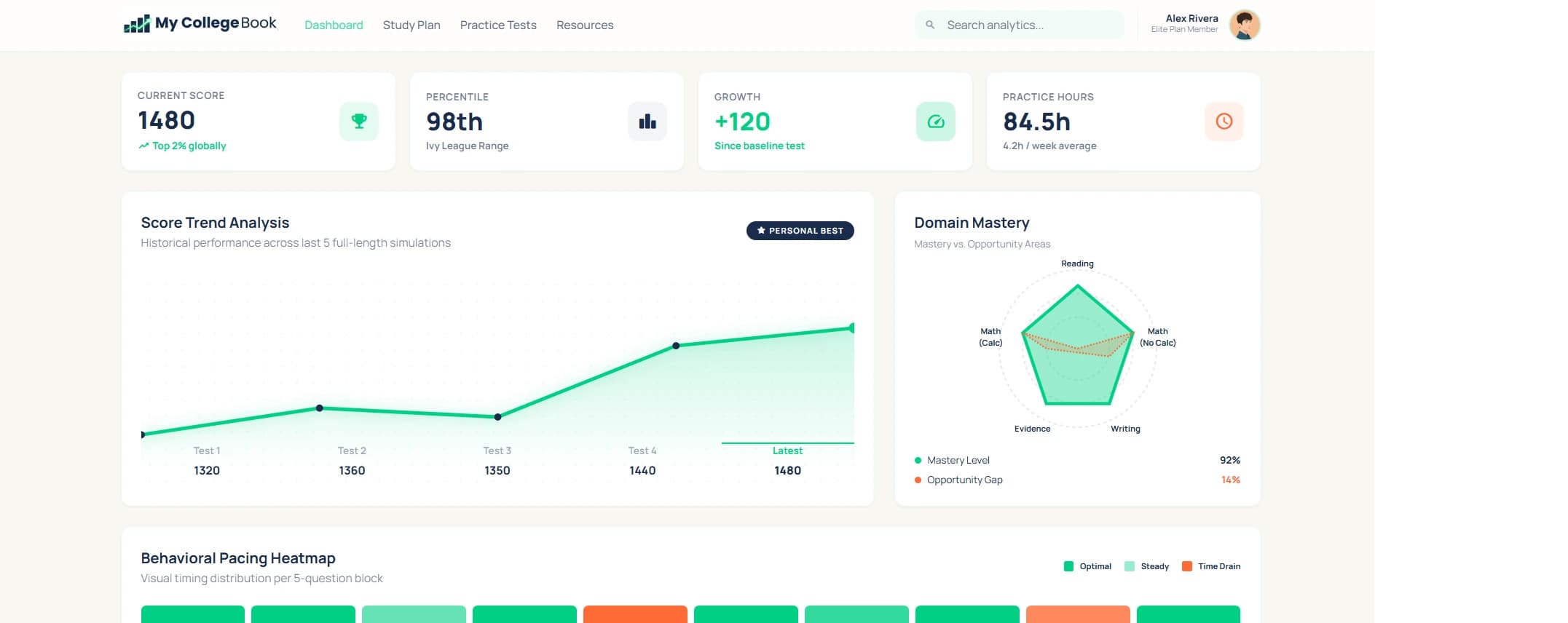
MyCollegeBook adds browser-based SAT practice and pacing feedback between official Bluebook benchmarks. MCB tests are not official College Board tests.
Use Bluebook to learn the official app and establish benchmarks. Use MCB when you want another timed attempt or more evidence about where your time went. MCB review includes time spent on individual questions, plus domain/module pacing targets and more detailed topic analysis to help separate broad strengths from specific gaps.
College Board already provides answer explanations, domain information and tailored follow-up practice. The useful MCB distinction is the additional timing and topic-level feedback, not a claim that Bluebook offers no meaningful review. Pacing targets are coaching guidance, not official time limits for each question.
Work on pacing before your next official benchmark
Take your first full-length MCB practice test, then review accuracy, timing and topic patterns. Sign in to start; no credit card is required for the first test.
Start my MCB practice testSee how MCB practice tests work · Prefer a shorter diagnostic?
What else should you know about Bluebook SAT practice tests?
Bluebook access, practice results and test-day rules serve different purposes. These answers cover common points of confusion.
Are Bluebook SAT practice tests free?
Yes. College Board provides official full-length SAT practice tests in the free Bluebook app. Sign in with a College Board student account to receive practice scores in My Practice.
Where are my Bluebook practice-test scores?
Your Bluebook practice-test scores and answer review are on College Board’s My Practice website. Sign in with the same credentials used for Bluebook, select your test, and open Score Details.
Does Bluebook work on Windows 10?
No. College Board’s Windows requirements checked on October 6, 2026 list Windows 11 24H2 as the minimum. Windows 10, Windows S mode, and Windows 11 SE are not supported.
Can I use Bluebook on a personal Chromebook?
College Board supports school-managed Chromebooks with verified mode enabled. A personal unmanaged Chromebook is not a supported Bluebook testing device. Ask your school about installation and check current device requirements.
How long does a Bluebook SAT practice test take?
Standard SAT timing is two 32-minute Reading and Writing modules and two 35-minute Math modules. There is a 10-minute break between sections. Plan for 2 hours 24 minutes, plus setup; approved accommodations can change timing.
Can I pause or finish a Bluebook practice test early?
Practice allows flexibility, including saving and exiting and moving forward before time expires. For a useful benchmark, complete the test without pausing or advancing early. Standard test-day rules do not allow early submission before the timer runs out.
Which Bluebook SAT practice test is hardest?
There is no universal difficulty ranking established by the sources used in this guide. SATPrepIn recommends Test 7 as a demanding benchmark, while other tutors rank Test 11 highest. Your adaptive route and strengths affect how difficult a test feels.
Are MyCollegeBook tests official Bluebook tests?
No. MyCollegeBook provides additional browser-based SAT practice. College Board provides official Bluebook tests. Use official tests for familiarity and benchmarking, and additional practice to work on skills and pacing between benchmarks.
Which sources support this Bluebook guide?
College Board documents support device requirements, access, score review, timing and testing rules. Khan Academy supports the test-review-study workflow. SATPrepIn supplies the attributed teaching recommendations; tutor difficulty rankings are opinions rather than official ratings. Sources were checked on October 6, 2026.
- College Board: full-length digital practice tests and My Practice 101
- College Board: device requirements and Windows requirements
- College Board: SAT structure, testing rules and scheduled breaks
- Khan Academy: taking practice tests with Bluebook
- SATPrepIn: Bluebook practice tests versus the real SAT
Bluebook and SAT are trademarks of College Board. MyCollegeBook is not affiliated with or endorsed by College Board. This guide does not replace the rules or device checks for your own test date.